
Blog
Product Updates
Loyalty platform launch timeline: from kickoff to live in 10 weeks

Jurgen Swaans

"How long will it take?" is the first question in almost every loyalty conversation we have, and the honest answer is: it depends less on the software than on the decisions around it. At NeoDay we launch fully operational loyalty programs in as little as 10 weeks. The programs that make that date have one thing in common: the plan was clear in week one.
This page shows how a loyalty platform launch timeline of ten weeks is structured, phase by phase: kickoff, alpha, beta, QA and launch. It also covers the things buyers ask us about most: how much lead time the SDK integration needs, how to manage test accounts, what adds weeks to the plan, and why you should never plan a go-live in the run-up to Black Friday.
The 10-week loyalty launch timeline at a glance
The plan below is for a launch inside an existing app through the NeoDay SDK, the most common route for retailers with an app. A standalone app or a web launch follows the same phases with different tasks.
Weeks | Phase | What happens | Who is involved |
|---|---|---|---|
1 to 2 | Kickoff and design | Scope, team, program design, first screen designs, till integration plan | Marketing, IT, NeoDay |
3 to 5 | Alpha | Platform configured, till data flowing in a test setup, SDK built into the app, design sign-off | NeoDay, your app team, IT |
6 to 7 | Beta | A closed group of staff and friendly members uses the program in real stores with test accounts | Marketing, store teams, NeoDay |
8 to 9 | QA and readiness | Regression and performance tests, security review, store review, support training, go/no-go | IT, app team, customer service, NeoDay |
10 | Launch | Final data sync, go-live, extra support on launch day and night | Everyone |
This is an illustrative plan, not a commitment. Every project gets its own plan in the NeoDay client portal, built from the facts of your setup.
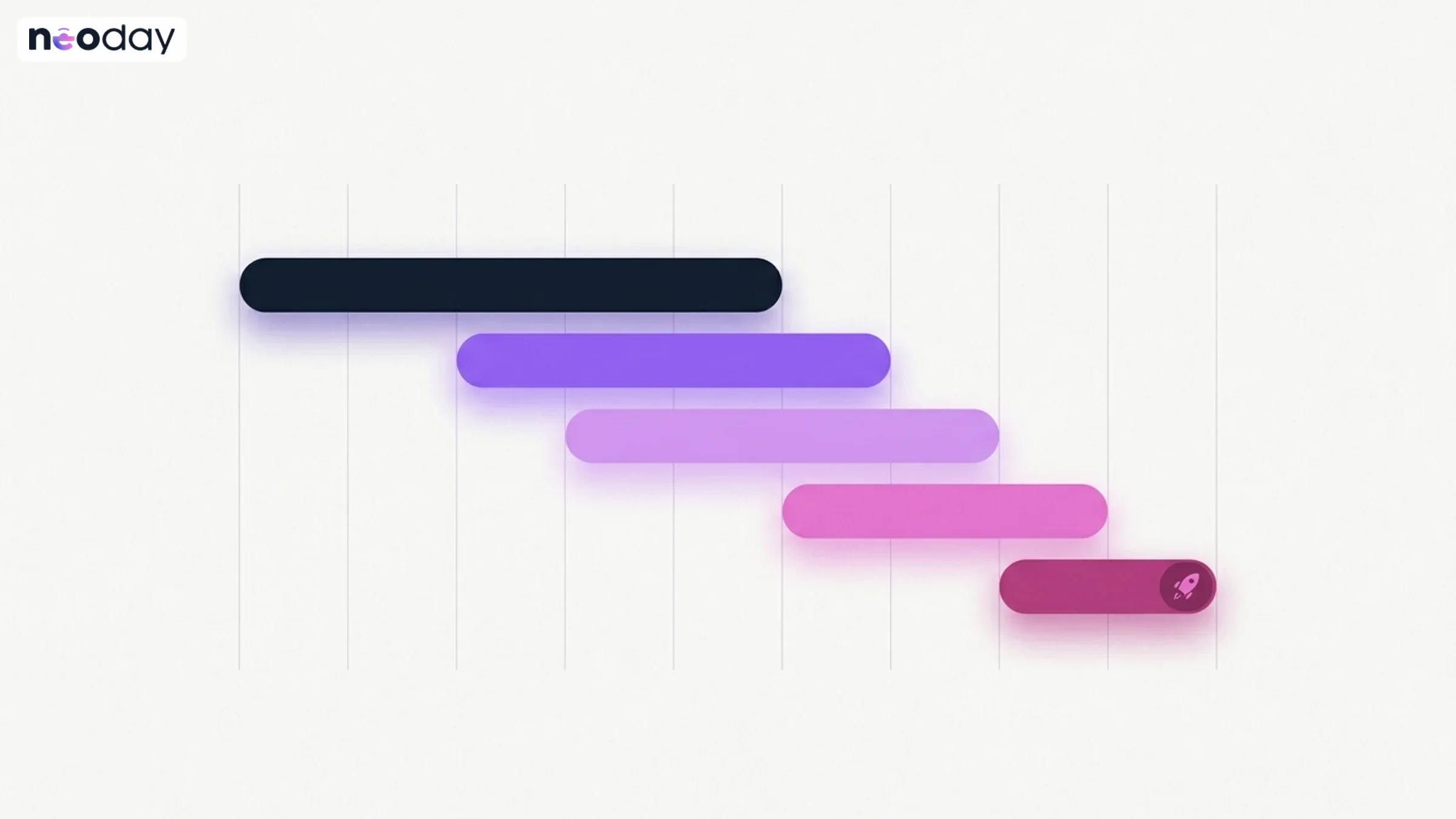
Ten weeks, five phases. The till integration and the app's release train usually decide the critical path.
How to plan a loyalty platform launch in 10 weeks
Step 1: Kickoff and design (weeks 1 to 2)
The first two weeks decide whether week ten holds. What has to be settled:
Scope and team. One owner on your side, usually in marketing, and named contacts in IT, the app team and the till or POS team.
Program design. The always-on base (points and/or status), the monthly milestones, the weekly challenges and the daily games. Our layered approach is the template we start from.
Where loyalty lives. In your existing app through the SDK, in a standalone app, on the web, or a combination.
Till integration. How transactions reach the platform. This is the same in every route and is often the critical path, so the conversation starts in week one.
SDK documentation to your app team, so they can read it in their next sprint and bring questions to a detail meeting.
Step 2: Alpha (weeks 3 to 5)
In the alpha phase the program exists, but only the project team sees it.
NeoDay configures the program on the platform: earning, expiry and redemption rules, rewards, challenges and games.
The first screen designs are signed off, then the full set.
Your app team builds the SDK into the app and hands it the signed-in member.
Transaction data from the till flows into a test setup, using sample files first and real data streams after.
Marketing gets a back-office introduction, so they can set up screens and campaigns themselves.
Step 3: Beta (weeks 6 to 7)
In beta, a closed group uses the program for real: staff, store managers and a small set of friendly members, in a few stores.
Test accounts are created for this group, clearly named and flagged, so they can be kept out of reporting and removed later.
Every flow is tried end to end: sign up, scan at the till, earn, complete a challenge, play a game, redeem a reward.
Store teams learn how the program looks from the customer's side, which makes them better ambassadors at launch.
Feedback goes into a shared list, sorted into "fix before launch" and "after launch".
Step 4: QA and readiness (weeks 8 to 9)
The QA phase answers one question: can this run for a million members on a busy Saturday?
Data-stream testing: every transaction type from every channel arrives once, and only once.
Regression and performance tests on the app with the SDK, and on the platform under load.
Security review by your IT team, against the documentation NeoDay provides.
App store review for the app release that carries the SDK.
Customer service training, so the first calls on launch day are answered well.
Go/no-go review, with a written list of what is ready and what is not.
How you test before launch, in a separate QA environment or step by step in production, is a choice with real consequences. We wrote a separate guide on testing a loyalty program before launch.
Step 5: Launch (week 10)
On launch day, the last member data sync runs, the app release is switched on and the program goes live. NeoDay adds extra support capacity in the run-up to go-live and is on standby on launch night.
A soft launch (staff and app users first, wider marketing a week later) is often wiser than a big bang. It gives you a week of real data before the big campaign starts.
SDK integration lead time
The SDK is the part of the plan your own app team owns, so it deserves its own planning.
Documentation review (weeks 1 to 3): your app team reads the SDK documentation in a regular sprint and collects questions.
Detail meeting (around week 4): NeoDay and your app team agree on placement, identity handover, deep links and push.
Build (weeks 4 to 7): the integration itself, after design sign-off, with NeoDay support. Usually two to three sprints.
Release (weeks 8 to 9): the SDK ships in a regular app release, through store review.
The biggest risk is not the build. It is the release train. Many app teams release every two or four weeks with a code freeze before each release. If the loyalty release misses the freeze, it waits for the next train. Agree on a named app release for the SDK in week one. Our SDK integration guide covers entry points, eligibility and a full checklist.
What adds weeks to the plan
Ten weeks is achievable when the setup is standard. These are the items that most often add time, with the extra lead time we typically plan:
Item | Typical extra time | Why |
|---|---|---|
Migrating an existing loyalty program | About 3 weeks | Balances, tiers and history have to be mapped, migrated in a trial run and reconciled |
A separate QA (UAT) environment | About 2 weeks | A second environment to set up and keep in sync before production |
A standalone app | Up to 2 weeks for store submission | Plus developer accounts in your brand's name, which can take weeks to arrange |
A till, CRM or marketing tool NeoDay has not connected before | Depends on the vendor | Documentation, a sandbox and a feasibility check come first |
Single sign-on with your identity provider | Depends on the provider | Sign-on method and secrets have to be agreed and tested |
None of these are reasons not to start. They are reasons to know your real date in week one.
Avoid launching before Black Friday
For most retailers, late November to early January is the busiest trading period of the year. It is also the worst moment to launch a new loyalty program.
App and till code freezes. Many retailers freeze app releases and till changes from early November until after the holidays. If the SDK release is not out before the freeze, it waits until January.
No room for fixes. A small issue in week one of a new program is normal. During peak, there is no capacity to fix it, and store teams have no time to explain it.
Noisy data. Uplift is hard to measure when every store is busy anyway, so your first results will be hard to read.
Our guidance:
Go live by mid-October at the latest if you want the program running during peak. That gives you four to six weeks of stable operation before Black Friday. Counting back ten weeks, kickoff is in early August.
Otherwise, plan the launch for January or February. Use November and December for design, alpha and beta, and launch when stores are quieter.
Never plan go-live in the two weeks before Black Friday or in December.
Check your own freeze dates in week one and plan backwards from them, not forwards from the kickoff.
If you are live before peak, Black Friday and the holidays are a strong moment for a game campaign, such as a reward calendar or a scratch card, on a program that is already stable.
Test account management in brief
Test accounts are easy to create and easy to forget. Agree on a few rules at the start:
Use a fixed naming pattern and a dedicated email domain, so every test account is recognisable.
Keep test accounts in their own segment, so campaigns can be shown to them first and they can be left out of reporting.
Keep a list of who owns which account and why.
Clean up before launch: remove or anonymise test accounts that are not needed for monitoring, so they do not collect real rewards.
The full lifecycle, including how to prevent duplicate bonuses during testing, is in our guide on loyalty program QA and testing.
Actionable takeaways
Fix your launch date against your app's release train and your peak-season freeze, not against the kickoff.
Start the till integration and the SDK documentation review in week one.
Run a beta with staff in real stores before any marketing goes out.
Decide early whether you need a separate QA environment, and plan the two extra weeks if you do.
Launch by mid-October or after the holidays, never in between.
La Place migrated its existing members and went fully live in 10 weeks (La Place case). To get a plan for your own program, get a demo or calculate your business case.
FAQ
How long does it take to launch a loyalty program?
With NeoDay, a fully operational loyalty program can launch in as little as 10 weeks, including design, integrations, testing and go-live. Migrating an existing program, a separate QA environment or a new integration can add a few weeks.
What are the phases of a loyalty platform launch?
A typical launch has five phases: kickoff and design, alpha (build and configuration), beta (a closed group in real stores), QA and readiness (regression, security and store review) and launch. In a ten-week plan these take roughly two, three, two, two and one weeks.
How long does a loyalty SDK integration take?
The build itself usually takes two to three sprints of your app team, after design sign-off. Including documentation review and the app release, plan six to eight weeks within the ten-week launch, and agree on the app release that carries the SDK in week one.
Should we launch a loyalty program before Black Friday?
Only if you can go live by mid-October, so the program has run stably for several weeks before peak. Otherwise, launch in January or February. Avoid going live in the weeks before Black Friday or in December, when code freezes and store pressure leave no room for fixes.
What is the difference between alpha and beta in a loyalty launch?
In alpha, only the project team sees the program, often with test data. In beta, a closed group of staff and friendly members uses it in real stores with test accounts, so every flow is tested end to end before customers see it.
Do we need a separate test environment for a loyalty platform?
Not always. Many launches work directly towards production with a closed beta group and test accounts. A separate QA environment gives more isolation but typically adds about two weeks to the plan.
What slows down a loyalty program launch the most?
The till integration and the app's release train. Both are outside the loyalty platform, so start them in week one and agree on dates with the teams that own them.